 Menda
Menda
macOS · Mac · Everyday fixes
Trackpad or mouse not working on your Mac? The safe restart pass
A dead trackpad or mouse is usually a stuck process, a bad port or cable, or the device itself — not a broken Mac. A clean restart plus simple isolation finds which one it is.
- DifficultyEasy
- Time5 min
- RiskLow
- ReversibleYes
- PlatformmacOS
- Updated
What that means
Low risk. This fix only checks things, or changes settings you can switch back in the same place. This change is reversible — you can return to the previous state without professional help or data loss.
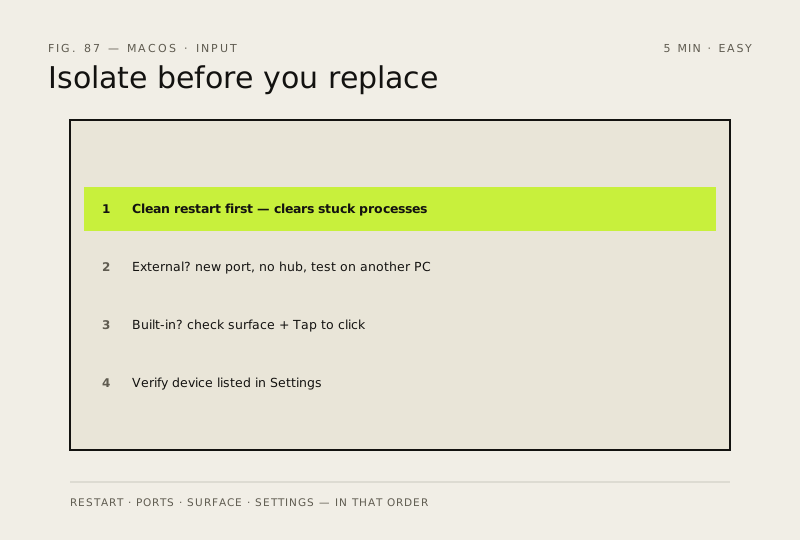
Steps
How to verify the fix
After the reboot the cursor moves when you use the trackpad (or an external mouse in a different port), and clicks register normally in any app.
If this didn't fix it
Still dead after a clean restart — for the built-in trackpad, try the NVRAM reset next; for an external mouse or trackpad that also fails on another Mac or port, the device itself is likely faulty rather than your Mac.
Next stop: the related fixes below, or start a guided diagnosis.