 Menda
Menda
macOS · Mac · Everyday fixes
Fix a Mac that won't start up
A black screen at boot is scary, but macOS has a recovery mode that fixes most of it without erasing anything.
- DifficultyMedium
- Time30 min
- RiskHigh
- ReversibleYes
- PlatformmacOS
- Updated
What that means
High risk. This fix makes deep system changes with a real chance of data loss. Back up your important files before you start. This change is reversible — you can return to the previous state without professional help or data loss.
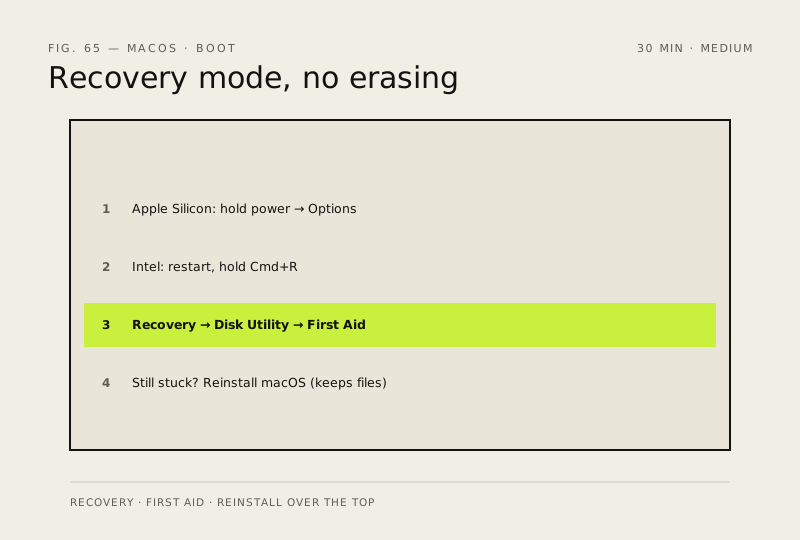
Steps
-
Rule out power before you rule out macOS
Why?
Apple's own sequence for a laptop that has run out of power looks identical to a Mac that refuses to start. Separating the two first saves you an hour in Recovery that was never going to help.
-
Start up in macOS Recovery
You should see: The Recovery utilities window, offering Restore From Time Machine, Reinstall macOS, Safari and Disk Utility.
Careful: With FileVault on, Recovery asks for a user password before Disk Utility can even see the disk. There is no bypass and no reset — without that password or the recovery key, the data stays encrypted. That is the feature working, not a fault.
Also see: Can't log in to your Mac: password and FileVault recovery
-
Repair the disk with First Aid, bottom up
You should see: First Aid finishes with no errors at every layer. Restart and see whether the Mac now boots on its own — this alone fixes most startup problems.
Why?
Running First Aid on the volume alone is the common mistake: it skips the container and device layers, which are usually where the damage actually is.
Also see: Run First Aid on external drives
-
Get your files off before you go further
Careful: Everything after this point either rewrites the system or erases the disk. A disk that First Aid cannot repair is a disk that may fail completely on the next restart — copy what matters off now, while it still mounts.
Also see: Set up Time Machine properly
-
Reinstall macOS over the top
Why?
Apple states that reinstalling macOS doesn't remove your apps or personal data — it replaces the system, not your files. On an Intel Mac, Recovery may offer the version the machine shipped with rather than the one you were running, and on a slow connection the download takes hours.
Also see: macOS update won't install: unstick a stalled upgrade
How to verify the fix
The Mac boots to the desktop on its own, First Aid reports no remaining errors, and your files are all present.
If this didn't fix it
First Aid reports errors it cannot repair, or the Mac still won't boot after a reinstall — stop and get the data off before anything that erases. A Mac with no light, no fan and no sound at all is a power fault, not a software one, and none of this applies. Apple's remaining steps are reviving or restoring the firmware, then erasing — talk to Apple Support before going that far.
Next stop: the related fixes below, or start a guided diagnosis.