 Menda
Menda
Win 10 / 11 · Maintenance
Laptop battery life on Windows: make it last longer
Laptop battery life on Windows comes down to what runs in the background, how bright and fast the screen is, and how the battery is charged. Power & battery shows all three, and a one-line report tells you if the battery itself is worn.
- DifficultyEasy
- Time15 min
- RiskLow
- ReversibleYes
- PlatformWin 10 / 11
- Updated
What that means
Low risk. This fix only checks things, or changes settings you can switch back in the same place. This change is reversible — you can return to the previous state without professional help or data loss.
Steps
-
Find what is draining it
You should see: An app you weren't using sitting near the top — that's the drain, and it's usually fixable without touching the battery.
Also see: CPU at 100% on Windows? Find the culprit in Task Manager
-
Turn on Energy saver earlier
Windows 11 24H2 or later
Earlier Windows 11
Windows 10
Why?
Energy saver replaced Battery saver in Windows 11 24H2. Microsoft says it dims the screen and limits background activity, so setting it to start at 30 or 40 percent instead of the default buys runtime on a long day.
-
Apply Windows' own energy recommendations
Why?
Best performance does the opposite: Microsoft warns it raises power use and heat, so keep it for plugged-in work.
-
Spend less power on the screen
Why?
Newer Windows 11 builds name the first page 'Screen, sleep & hibernate timeouts'; the settings inside are the same.
-
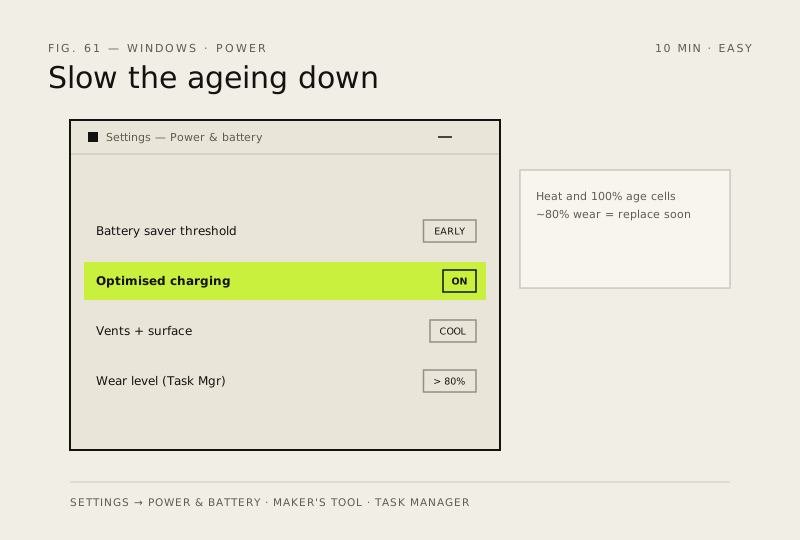
Look after the battery, and check its health
You should see: Full charge capacity well below design capacity means the battery is worn — no setting brings that back.
Careful: A battery that has swollen or pushes the case apart is a hazard: stop using the laptop, don't press or puncture it, and get it replaced.
How to verify the fix
Battery usage shows no unexpected app near the top, Energy saver (Battery saver on older versions) switches on at the level you set, and you have a battery report whose full charge capacity you can compare against later.
If this didn't fix it
Runtime is still short with nothing unusual in Battery usage and Energy saver on — compare full charge capacity with design capacity in the battery report. A worn battery needs replacing, not more settings. If the battery is visibly swollen, stop using the laptop and don't press on it.
Next stop: the related fixes below, or start a guided diagnosis.