 Menda
Menda
Win 10 / 11 · Windows
Fix a printer that won't print
Nine times out of ten it's a stuck queue or the wrong default printer — not the printer. Work through these before you buy ink, a cable, or a new machine.
- DifficultyEasy
- Time10 min
- RiskMedium
- ReversibleYes
- PlatformWin 10 / 11
- Updated
What that means
Medium risk. This fix changes system settings, services, drivers, startup items or security features — reversible, but taking it back takes some effort or knowledge, and it may temporarily affect stability. This change is reversible — you can return to the previous state without professional help or data loss.
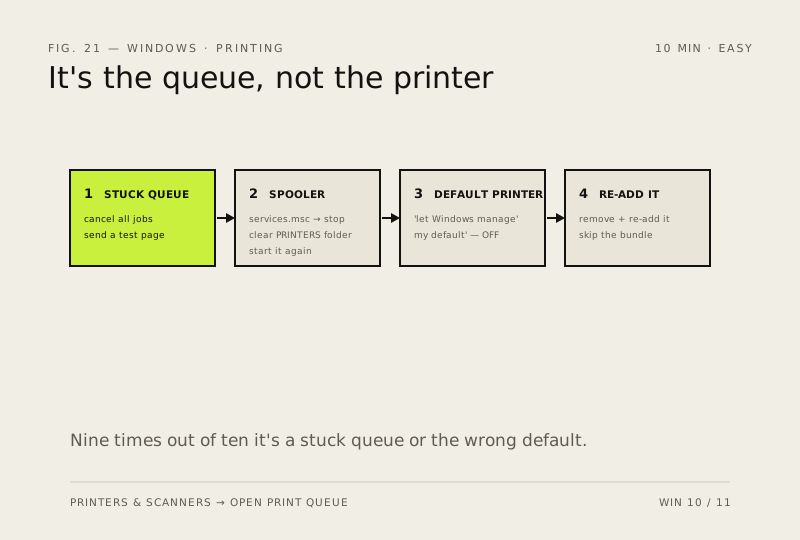
Steps
How to verify the fix
A test page prints from the queue, and the default printer stays set to the one you want.
If this didn't fix it
The queue is clear but nothing prints after re-adding — try a different USB port/cable before blaming the driver.
Next stop: the related fixes below, or start a guided diagnosis.