 Menda
Menda
Win 10 / 11 · Windows
Stop your PC from sleep-glitching your network
Ethernet that drops right after wake-from-sleep, or Wi-Fi that needs a manual reconnect — it's the NIC trying to save power
- DifficultyMedium
- Time10 min
- RiskLow
- ReversibleYes
- PlatformWin 10 / 11
- Updated
What that means
Low risk. This fix only checks things, or changes settings you can switch back in the same place. This change is reversible — you can return to the previous state without professional help or data loss.
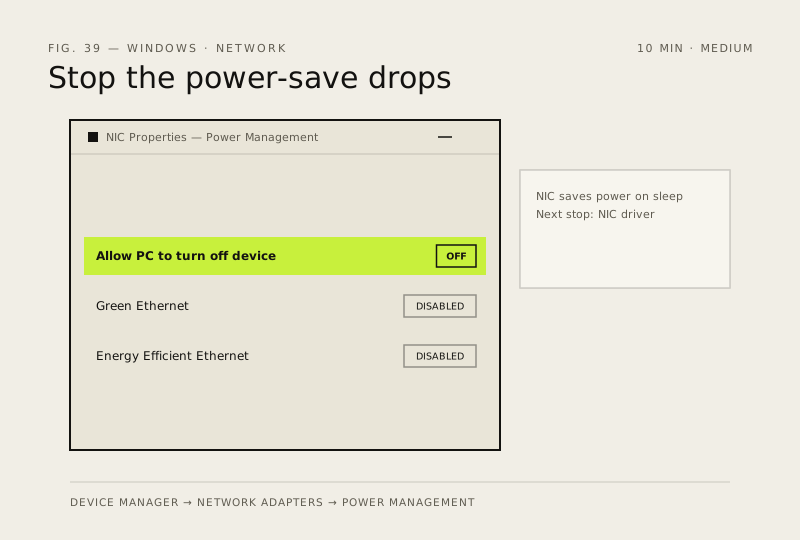
Steps
How to verify the fix
After wake-from-sleep, Ethernet/Wi-Fi stays connected without a manual reconnect.
If this didn't fix it
The connection still drops after sleep — the NIC driver itself may need updating from the laptop/motherboard maker's site.
Next stop: the related fixes below, or start a guided diagnosis.