 Menda
Menda
macOS · Mac · Everyday how-tos
Continuity Camera: use your iPhone as your Mac's webcam
The camera in your pocket is far better than the one above your Mac's screen. Continuity Camera lets you use it, wirelessly, in any video call.
- DifficultyEasy
- Time10 min
- RiskLow
- ReversibleYes
- PlatformmacOS
- Updated
What that means
Low risk. This fix only checks things, or changes settings you can switch back in the same place. This change is reversible — you can return to the previous state without professional help or data loss.
Steps
-
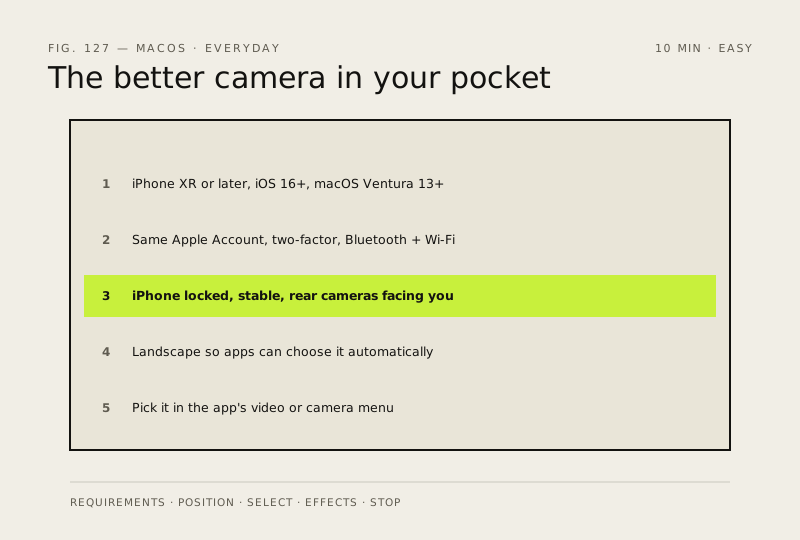
Check the requirements before you mount anything
This is the step that decides whether the rest works
You should see: Both devices on the same Apple Account, with Bluetooth and Wi-Fi on.
Why?
Apple also states that for wireless use the Mac cannot be using AirPlay or Sidecar at the same time; over USB, the iPhone must be set to trust your Mac.
-
Position the iPhone the way the feature expects
Apple is specific about this, and it explains most 'it never appears' reports
You should see: The iPhone held steady, screen locked, rear cameras pointing at you.
Careful: Locked is not optional. An unlocked iPhone is treated as in use, and will not be offered as a camera.
-
Pick it in the app
You should see: Your own picture, from the iPhone's camera, in the call preview.
-
Turn on the effects worth having
Apple lists Center Stage, Desk View, Portrait Mode, Studio Light, Edge Light and more
Why?
Effects are per-call conveniences, not setup. Try them once on a call with a friend before you use them in a meeting that matters.
-
Stop using it when the call ends
You should see: The Mac falls back to its built-in camera, and the iPhone returns to normal.
How to check it worked
Your iPhone appears as a camera choice in FaceTime or your video-call app, and the picture is noticeably sharper than the Mac's built-in camera.
If it didn't work
The iPhone never appears: one of Apple's requirements is not met — most often the two devices are on different Apple Accounts, Bluetooth or Wi-Fi is off, or the iPhone is sharing its cellular connection. An unlocked iPhone will not be offered either.
Next stop: the related fixes below, or start a guided diagnosis.