 Menda
Menda
Win 10 / 11 · Windows
Windows Wi-Fi disconnects every few minutes: stop the dropouts
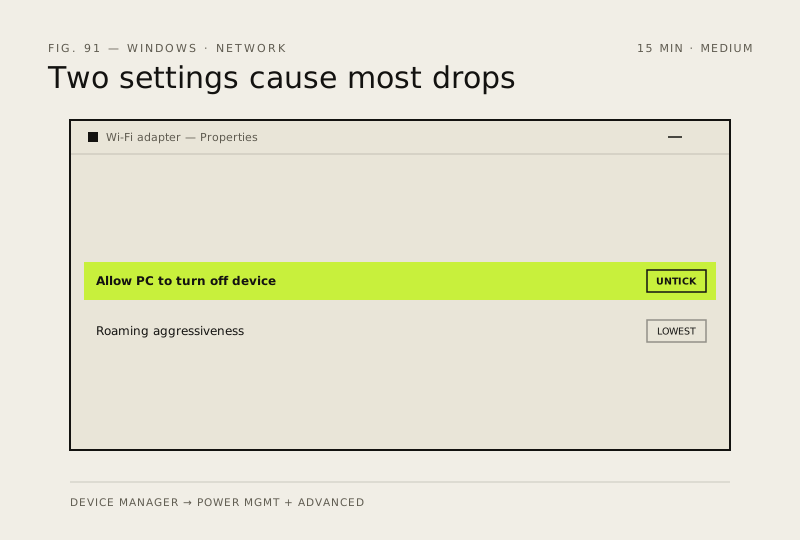
Wi-Fi that disconnects and reconnects while you are actively using the PC is usually the adapter powering itself down or hunting for a better signal mid-session. Both are settings, both are reversible, and neither needs a new router.
- DifficultyMedium
- Time15 min
- RiskLow
- ReversibleYes
- PlatformWin 10 / 11
- Updated
What that means
Low risk. This fix only checks things, or changes settings you can switch back in the same place. This change is reversible — you can return to the previous state without professional help or data loss.
What usually goes wrong
- Roaming Aggressiveness only exists on Intel and some Realtek adapters — if your Advanced tab does not list it, skip that step rather than changing a different setting that sounds similar.
- Do not start with Network Reset. It wipes every saved Wi-Fi password and VPN profile on the machine, and it will not fix a power-management dropout, so you lose your credentials and keep the fault.
Steps
How to verify the fix
Open Command Prompt, run 'ping -t 8.8.8.8' and leave it running for 20 minutes of ordinary use. A clean run with no 'Request timed out' lines means the dropouts are gone.
If this didn't fix it
If the adapter vanishes from Device Manager during a dropout, the hardware or its power delivery is failing.
Next stop: the related fixes below, or start a guided diagnosis.