 Menda
Menda
Win 10 / 11 · Gaming
Reduce input lag in competitive games
Millisecond matters in FPS games. Cut anything between your hand and the screen.
- DifficultyMedium
- Time20 min
- RiskLow
- ReversibleYes
- PlatformWin 10 / 11
- Updated
What that means
Low risk. This fix only checks things, or changes settings you can switch back in the same place. This change is reversible — you can return to the previous state without professional help or data loss.
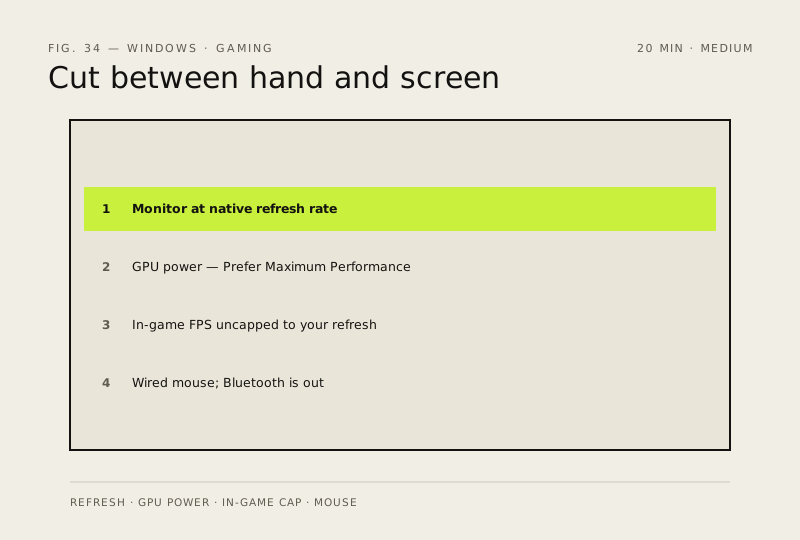
Steps
How to verify the fix
The monitor runs at its native refresh rate (Advanced display) and input feels tighter in competitive play.
If this didn't fix it
Refresh rate still shows 60 Hz or lag persists — the monitor, cable or GPU output may not support a higher rate.
Next stop: the related fixes below, or start a guided diagnosis.