 Menda
Menda
Win 10 / 11 · Speed
File Explorer slow or crashing in Windows: speed it up
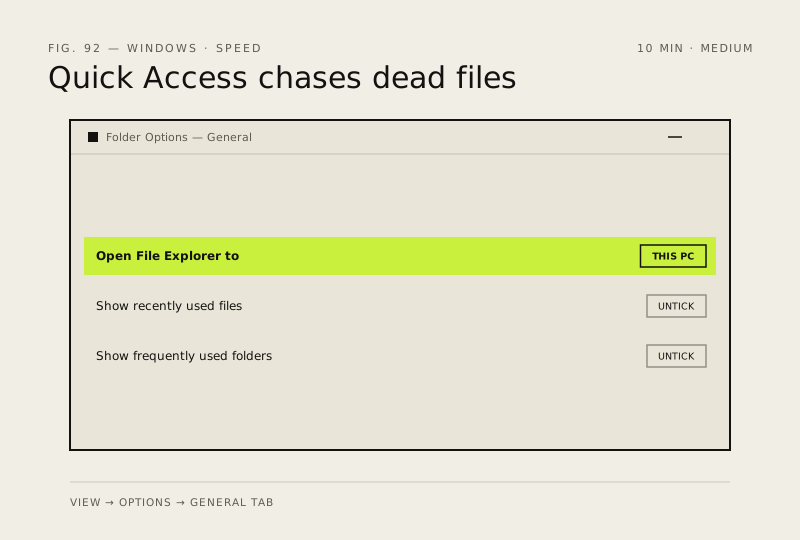
File Explorer that hangs opening a folder, or vanishes back to the desktop, is usually Quick Access chasing files on drives that are gone, or a folder set to the wrong content type. Both are settings.
- DifficultyMedium
- Time10 min
- RiskLow
- ReversibleYes
- PlatformWin 10 / 11
- Updated
What that means
Low risk. This fix only checks things, or changes settings you can switch back in the same place. This change is reversible — you can return to the previous state without professional help or data loss.
What usually goes wrong
- Clearing File Explorer history removes your Quick Access pins along with the recent list, so note any pinned folders before you click it.
- Do not disable the Windows Search service to speed Explorer up — you lose Start menu search too, and folder browsing gets slower rather than faster.
Steps
How to verify the fix
Folders that used to hang open in under a second, and Explorer survives a full working session without disappearing.
If this didn't fix it
If Explorer still crashes and Event Viewer names no faulting module, run the system-file repair pass next. If only network folders are slow, the fault is the connection rather than Explorer.
Next stop: the related fixes below, or start a guided diagnosis.