 Menda
Menda
Win 10 / 11 · Windows
Can't sign in to Windows: PIN, password and lockout fixes
Being locked out of your own PC feels terminal, but a rejected PIN or password is usually recoverable without losing a single file. Which route works depends on your account type.
- DifficultyMedium
- Time20 min
- RiskLow
- ReversibleYes
- PlatformWin 10 / 11
- Updated
What that means
Low risk. This fix only checks things, or changes settings you can switch back in the same place. This change is reversible — you can return to the previous state without professional help or data loss.
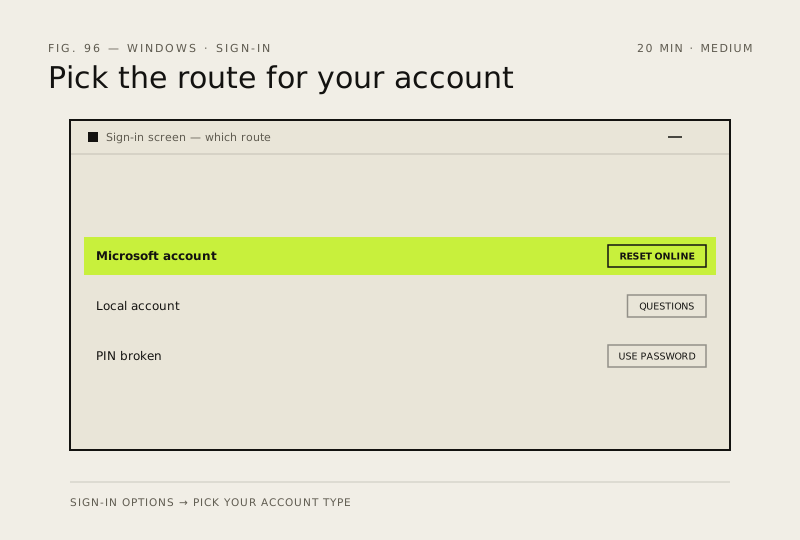
What usually goes wrong
- Do not download a password-removal tool from a search result, because most are malware and a genuine reset never needs one.
- If BitLocker asks for a recovery key, that key lives in your Microsoft account at account.microsoft.com/devices, not anywhere on the PC.
Steps
How to verify the fix
You reach the desktop, and a restart followed by a fresh sign-in works on the first attempt.
If this didn't fix it
If Windows demands a BitLocker recovery key you cannot find, stop — without it the drive is unreadable and a reset erases everything on it. If a Microsoft account password reset never reaches the PC, it has no network connection at the sign-in screen.
Next stop: the related fixes below, or start a guided diagnosis.