 Menda
Menda
Win 10 / 11 · Maintenance
Start Windows in Safe Mode
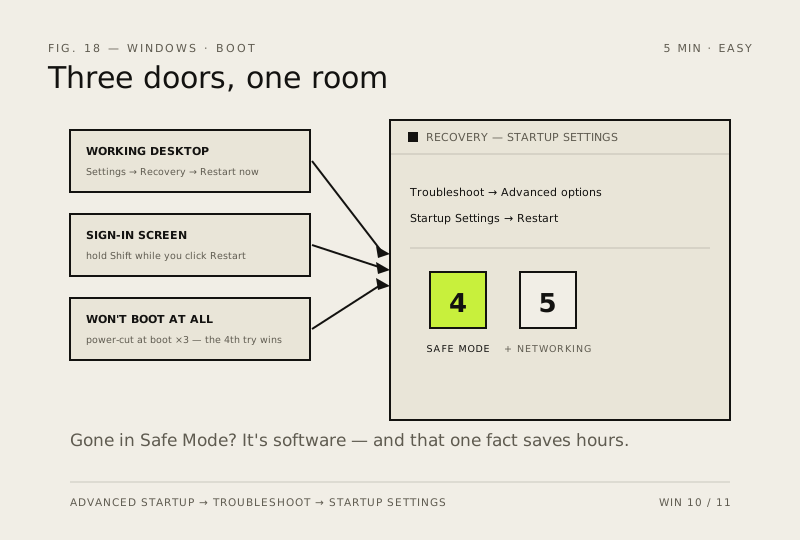
Safe Mode loads Windows with only the drivers it cannot do without. If a problem disappears there, it's software — and knowing that one fact saves hours of guessing.
- DifficultyEasy
- Time5 min
- RiskLow
- ReversibleYes
- PlatformWin 10 / 11
- Updated
What that means
Low risk. This fix only checks things, or changes settings you can switch back in the same place. This change is reversible — you can return to the previous state without professional help or data loss.
Steps
How to verify the fix
Windows boots into Safe Mode (option 4/5), and you can confirm whether the problem disappears there.
If this didn't fix it
It keeps booting into Safe Mode afterwards — untick Safe boot in msconfig → Boot tab to return to normal startup.
Next stop: the related fixes below, or start a guided diagnosis.