 Menda
Menda
Win 10 / 11 · Speed
Browser slow or crashing on Windows: reset Chrome and Edge
A browser that crawls, freezes or closes itself is almost always extensions or a corrupted profile. Resetting takes minutes and keeps your bookmarks and saved passwords.
- DifficultyEasy
- Time15 min
- RiskLow
- ReversibleYes
- PlatformWin 10 / 11
- Updated
What that means
Low risk. This fix only checks things, or changes settings you can switch back in the same place. This change is reversible — you can return to the previous state without professional help or data loss.
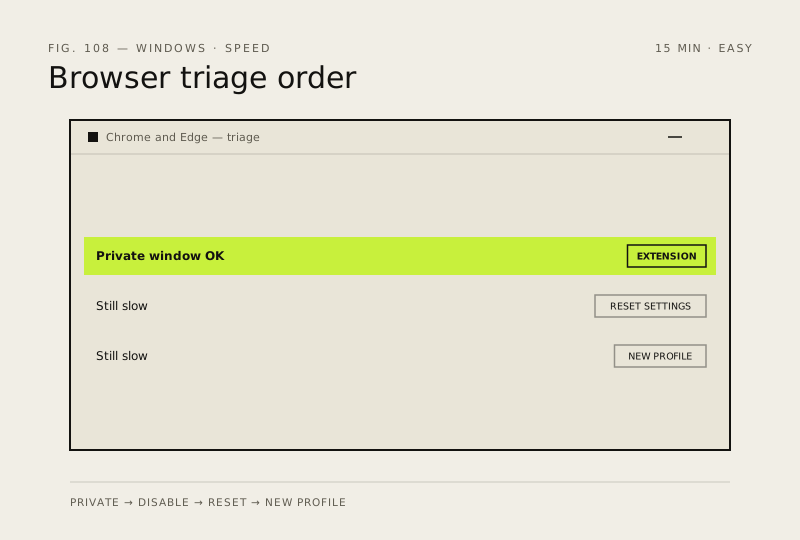
What usually goes wrong
- A settings reset disables extensions and clears cookies and pinned tabs, so you will be signed out of sites even though passwords remain.
- Do not clear your whole browsing history to gain speed, because the cache is what makes revisited pages load fast.
Steps
How to verify the fix
Pages load without stalling, the browser survives a full session without closing itself, and video plays without tearing.
If this didn't fix it
If a brand-new profile is also slow, the cause is outside the browser — check memory use and disk health. If only one site is slow, the problem is that site.
Next stop: the related fixes below, or start a guided diagnosis.