 Menda
Menda
Win 10 / 11 · Maintenance
PC won't turn on? Run the five-minute power check
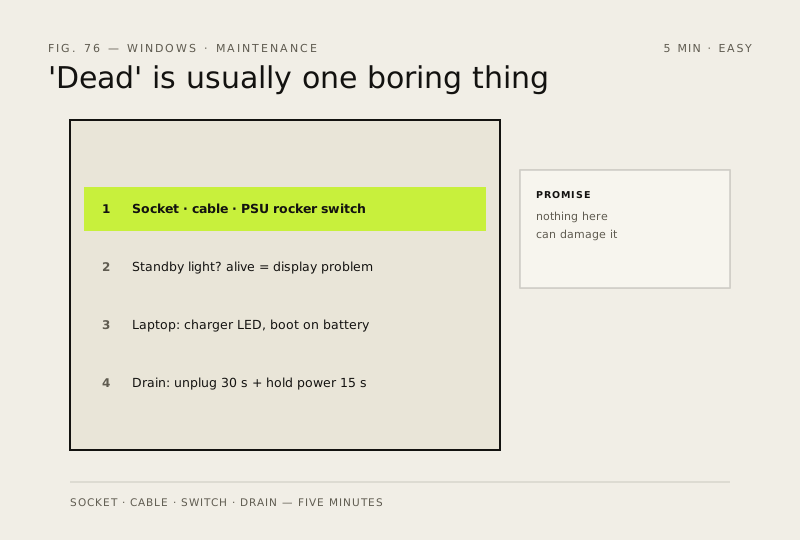
A completely dark PC is usually one boring thing — a socket, a switch, or a stuck power state. Five minutes of checks separates 'dead' from 'just asleep', and nothing here can damage the machine.
- DifficultyEasy
- Time5 min
- RiskLow
- ReversibleYes
- PlatformWin 10 / 11
- Updated
What that means
Low risk. This fix only checks things, or changes settings you can switch back in the same place. This change is reversible — you can return to the previous state without professional help or data loss.
Steps
How to verify the fix
The PC powers on — standby light comes on, fans spin, and it reaches the boot screen or desktop.
If this didn't fix it
Still no sign of life after outlet, cable, PSU switch and full-discharge checks — that's a power-supply or motherboard fault; stop here and get professional help rather than opening the case blind. If it powers on but shows no display, move to 'Black screen? Check the display signal path first'.
Next stop: the related fixes below, or start a guided diagnosis.