 Menda
Menda
Win 10 / 11 · Windows
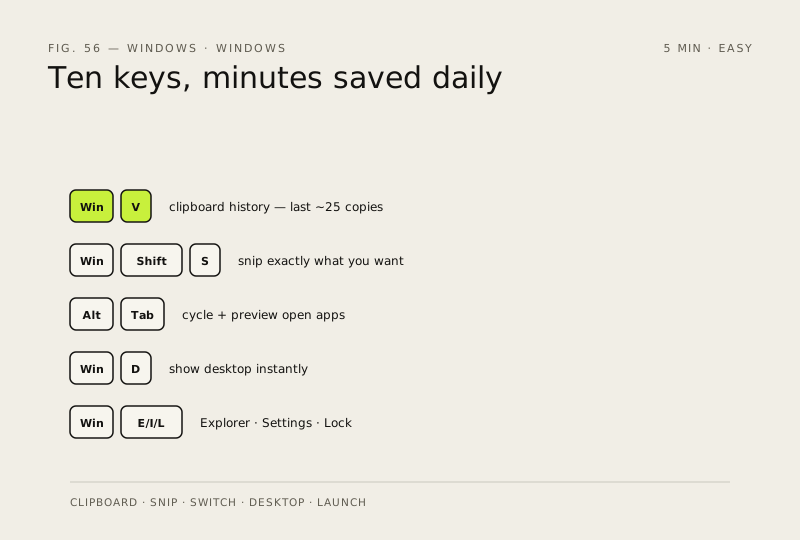
Master the keyboard shortcuts that save hours
You're probably doing 90% of your work with the mouse. Ten keys below will shave minutes off every single day.
- DifficultyEasy
- Time5 min
- RiskLow
- ReversibleYes
- PlatformWin 10 / 11
- Updated
What that means
Low risk. This fix only checks things, or changes settings you can switch back in the same place. This change is reversible — you can return to the previous state without professional help or data loss.
Steps
How to verify the fix
Win + V, Win + Shift + S and Alt + Tab work as described in your daily workflow without hunting for menus.
If this didn't fix it
A shortcut does nothing — enable clipboard history on first use of Win + V, or check that a game overlay isn't capturing the key.
Next stop: the related fixes below, or start a guided diagnosis.