 Menda
Menda
Any · Security
Lock down your home Wi-Fi properly
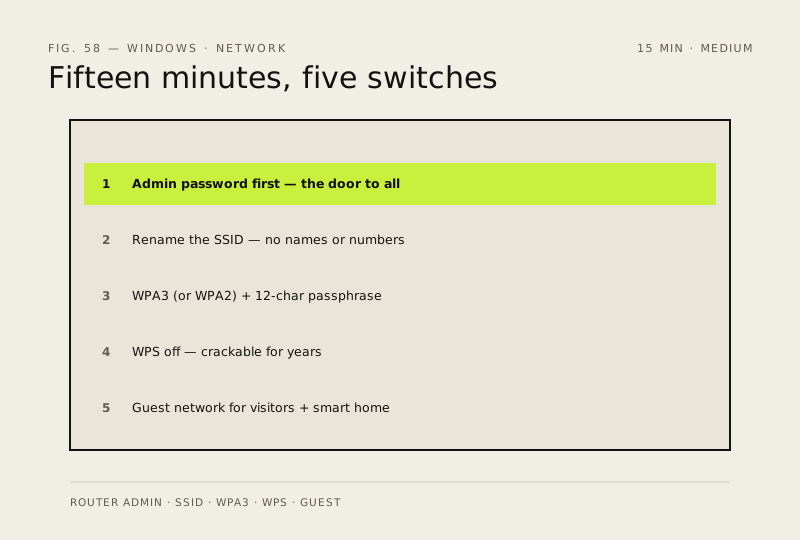
Your router's default name is a map for attackers — it tells them the make, model and which firmware bugs to try. Fifteen minutes fixes all of that.
- DifficultyMedium
- Time15 min
- RiskMedium
- ReversibleYes
- PlatformAny
- Updated
What that means
Medium risk. This fix changes system settings, services, drivers, startup items or security features — reversible, but taking it back takes some effort or knowledge, and it may temporarily affect stability. This change is reversible — you can return to the previous state without professional help or data loss.
What usually goes wrong
- Write the new router admin password down before you save it. Getting it wrong locks you out of your own router, and the only way back is a factory reset that undoes everything else you just did.
- Renaming the network or changing the passphrase disconnects everything at once — phones, laptops, the TV, the printer, the thermostat, the doorbell, every smart plug. Budget an hour to reconnect them, and don't do it while someone's working.
- Older devices don't understand WPA3. If something refuses to rejoin, set the router to mixed WPA2/WPA3 rather than dropping the whole network back to WPA2.
- Plenty of smart-home gear can only see 2.4 GHz. If a device vanishes after the rename, check whether the 2.4 GHz band needs its own network name for that device to find it.
Steps
How to verify the fix
The router admin login uses your new password, devices reconnect on the renamed SSID with WPA2/WPA3, and a guest network is active.
If this didn't fix it
You lose access to the router or devices can't reconnect — use the physical reset only as a last resort; it restores factory defaults.
Next stop: the related fixes below, or start a guided diagnosis.